MRR is the monthly value of your active recurring subscriptions, after discounts. Convert annual plans to monthly amounts and leave out one-off fees. In the example below, June brings €21,788 into the bank but only €8,148 of MRR, so the bank statement alone gives the wrong answer.
Calculate it now: the MRR calculator takes your plans and customer counts and gives the figure.
How do you calculate MRR?
To calculate MRR, convert every active subscription to a monthly amount at the price after discounts, drop anything that does not repeat, and add the results. Annual plans are divided by 12 and quarterly plans by 3, so a €3,600 annual contract is €300 of MRR and a setup fee is zero.
The formula is one line:
MRR = sum of every active subscription, converted to one month
Stripe's billing analytics use the same idea: MRR is "the sum of the monthly-normalized value" of active and past-due subscriptions, and it leaves out taxes, customers on free plans and metered usage (Stripe docs). Stripe's own example is 100 customers on a $100 monthly plan plus 50 on a $600 yearly plan: 100 x $100 + 50 x ($600 / 12) = $12,500 of MRR.
In practice it takes five steps.
- List every subscription that is paying today. Cancelled customers are out, and signed customers whose first invoice has not gone out are not in yet.
- Convert each to one month. Monthly plans stay as they are, a quarterly plan is divided by 3, an annual plan by 12.
- Use the price after discounts. A €99 plan sold at 20% off is €79.20.
- Drop anything that does not repeat: setup fees, one-off projects, usage above a committed minimum, taxes.
- Add it up.
Spreading a yearly plan over twelve months makes the number describe what keeps coming in, not what happened to land in the bank that month. Keep the list somewhere you can sort by status, such as a client list to build MRR from, rather than rebuilding it from invoices each month.
A worked month: June
In June, a small B2B tool with two monthly plans and a handful of annual contracts receives €21,788 in cash but has only €8,148 of MRR. The table sorts every line item into what counts toward MRR and what does not:
| Line item in June | Counts toward MRR? | MRR |
|---|---|---|
| 40 customers on Starter at €99/month | Yes | €3,960 |
| 12 customers on Team at €249/month (one has given notice for 31 July) | Yes, until the cancellation takes effect | €2,988 |
| 4 annual contracts at €3,600/year, two of them renewed and paid upfront in June (€7,200) | Yes, one twelfth each, every month | €1,200 |
| €2,000 onboarding fee from a new Team customer | No, it will not repeat | €0 |
| €640 of usage overages | No, it varies month to month | €0 |
| €5,000 consulting project | No | €0 |
| New customer signed for Team, first invoice 1 August | Not yet | €0 |
| VAT charged on top of the invoices | No, it is not your money | €0 |
| Total | €8,148 |
Two lines in that table are judgment calls, and it helps to decide them once and write the rule down.
Usage is the first. If a customer has a committed monthly minimum, the minimum is recurring and belongs in MRR; whatever they use above it is usage revenue, which you track next to MRR. Stripe leaves metered products out of MRR altogether.
The second is the customer who has already given notice. They are still paying, so they stay in MRR until the date they leave. What you should not do is plan next quarter as if they will be there.
What are the four MRR movements?
Next month's MRR is this month's MRR plus what changed: new and expansion MRR added, contraction and churn MRR subtracted. Stripe's definition of MRR growth uses the same parts, plus reactivation MRR. Each movement points to a different problem, so track them separately.
| Movement | What happened in July | MRR |
|---|---|---|
| Starting MRR | €8,148 | |
| New | 5 Starter and 1 Team customer signed and paid | +€744 |
| Expansion | 2 customers upgraded from Starter to Team | +€300 |
| Contraction | 1 customer downgraded from Team to Starter | -€150 |
| Churn | 3 Starter customers cancelled, and the Team customer who gave notice left | -€546 |
| Ending MRR | €8,496 |
net new MRR = new + expansion - contraction - churn
            = 744 + 300 - 150 - 546 = €348
The headline says MRR grew 4.3% (348 / 8,148). Underneath, €696 of existing revenue walked out through churn and downgrades, 8.5% of the starting base in one month. New sales are only just outrunning the leak. At that rate the company has to replace most of its revenue every year to stand still, and the headline growth figure hides it.
The movements tell you where to look. Weak new MRR is a sales and marketing question. Rising contraction usually means customers get less value than the plan they bought. Rising churn is a retention question. The same total can hide any of the three. The calculator linked above splits a month into these movements if you enter them.
MRR vs ARR
MRR and ARR measure the same subscriptions. ARR (annual recurring revenue) is MRR times 12, so the two come from one customer list and cannot disagree. At the end of July this company has €8,496 of MRR and €101,952 of ARR.
| MRR | ARR | |
|---|---|---|
| Formula | active subscriptions per month | MRR x 12 |
| Use it for | running the company: churn, hiring, runway | investors, fundraising, board updates |
| Moves | immediately when the recurring base changes | at the same time, by 12 times the MRR change |
| Fits | monthly plans, early stage | annual contracts, B2B sales |
Use MRR to discuss monthly operating changes and ARR for milestones quoted at annual scale. Both change immediately when the subscription base changes; ARR does not average away churn. Keep the movement breakdown beside either headline so you can see what drove the change. "€100k ARR" is a sentence people recognize. "€8,333 MRR" describes the same company.
One caveat on ARR built from monthly plans: it assumes those customers stay for twelve months, and the 8.5% monthly leak in July says they may not. The ARR guide builds the figure from a customer list with annual contracts, and the ARR calculator does the multiplication. If you are comparing either number with a revenue run rate, see the revenue run rate guide.
What mistakes move the MRR number?
The common MRR mistakes all come from counting the wrong money: reading MRR off the bank statement, counting annual renewals in the month they are paid, and counting trials or signed-but-not-started deals. Each one makes MRR look bigger or lumpier than the subscriptions that are really billing, and each is easy to catch against the customer list.
- Reading MRR off the bank statement. June's deposits were €21,788 and June's MRR was €8,148. Multiply the deposits by 12 and you tell investors about a €261,456 business. The real annual figure is €97,776.
- Counting lumpy annual renewals in the month they are paid. A company that sells mostly annual contracts sees huge months when renewals land and empty months in between. Neither kind of month is the MRR. Divide each contract by 12.
- Counting trials and signed-but-not-started deals. They join MRR as new MRR in the month they start paying.
What to do next
Write your MRR rules down once: how you treat annual plans, discounts, usage minimums, customers who have given notice, and signed deals that have not started. Then apply them the same way every month. Consistency matters more than which convention you pick, because the trend is what you and investors read. Which other numbers to watch alongside it depends on your stage; which SaaS metrics matter at your stage sorts them.
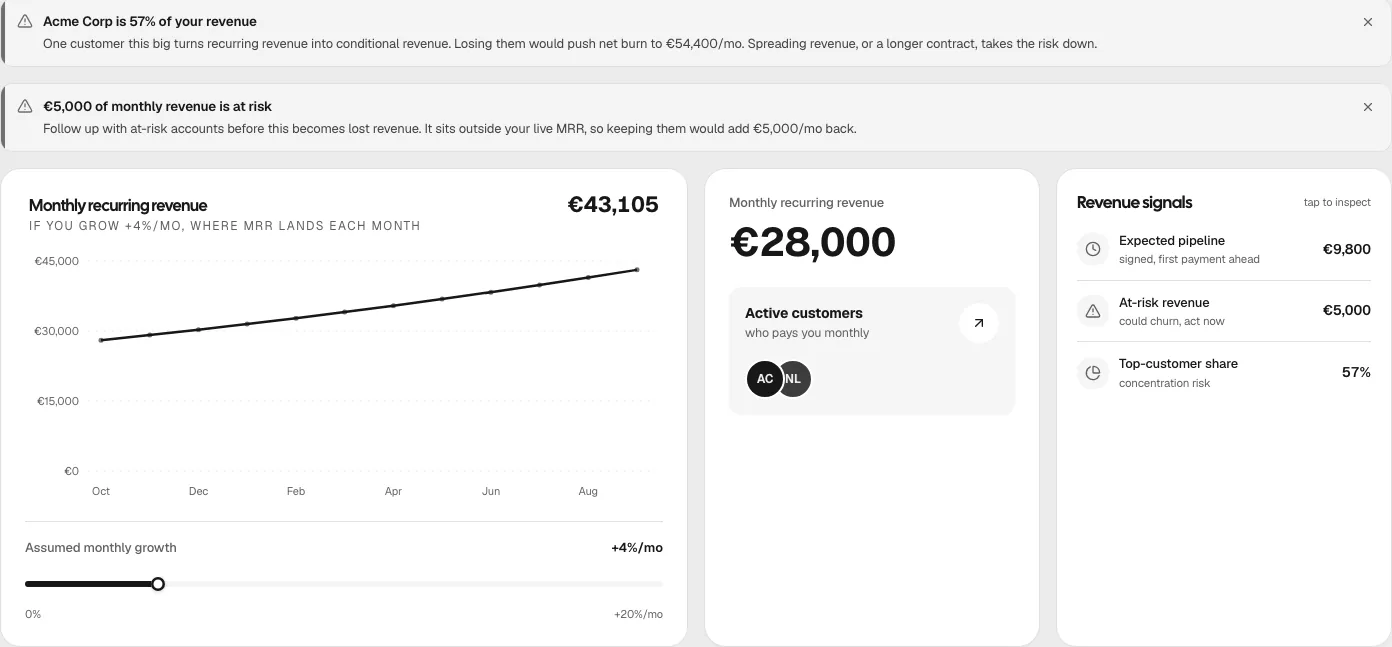
Then put MRR next to your costs. MRR is the revenue half of net burn, and net burn sets your runway. A dashboard shows where MRR sits next to burn and runway. If one customer makes up a large share of it, stress-test that customer before you plan around them.
In Plainhub you add each customer with their monthly revenue and pick Monthly, Annual or One-time billing. MRR counts only customers marked Active on monthly or annual billing, plus any income you logged as recurring. Signed customers who have not paid yet (Expected), customers you have marked At risk and one-time deals stay out, so the runway it calculates is built on the strict number. You can try it on a sample workspace on the homepage without signing up.